
Download DVD2Pod – DVD to podcast converter, DVD to audio, audio extraction, video to audio, digital audio, podcast creation, audio file conversion
Overview
DVD2Pod is a mobile application designed to transform video content from DVDs into audio-only formats, enabling users to repurpose physical media into digital audio files. The app serves as a tool for individuals who wish to extract audio from DVDs for listening on the go, particularly those interested in converting old or rare video content into podcast-style audio. This functionality supports a range of use cases, including archiving educational materials, converting audiobook-like content, or repurposing home videos into shareable audio tracks.
Target users include digital archivists, educators, content creators, and casual users with collections of DVDs who want to transition their media to more accessible formats. The app aligns with growing trends in digital media conversion, offering a mobile-first solution for audio extraction. While the developer, DVD2Pod, has not disclosed additional background or history, the app’s focus on audio conversion suggests a niche but valuable role in the productivity software ecosystem.
By simplifying the process of converting video-based DVDs into audio files, DVD2Pod addresses the challenge of accessing content without a dedicated DVD player or screen. This is especially relevant for users seeking hands-free listening during commutes, workouts, or household tasks. The app’s free pricing model further enhances its accessibility, making it an appealing option for those exploring audio conversion tools without upfront costs.
Key Features & Functionality
- DVD-to-audio conversion: Transforms video content from DVDs into standalone audio files, preserving the original soundtrack and dialogue.
- Format compatibility: Supports extraction of audio in widely used digital audio formats, allowing for playback on most devices and platforms.
- Batch processing: Enables users to convert multiple DVD tracks or chapters in a single session, improving efficiency for large collections.
- Metadata preservation: Retains track titles, chapter names, and other relevant information, enhancing organization and searchability.
- On-device processing: Performs conversions locally, reducing dependency on cloud services and improving privacy for sensitive content.
For example, a user with a collection of educational DVDs can extract lecture audio and convert them into podcast episodes for offline listening. Similarly, a family with old home videos can convert them into audio narratives for sharing with relatives who prefer listening over watching. The app’s batch processing feature is particularly useful for digitizing entire DVD sets, streamlining the archiving process.
Each feature is designed to enhance usability and output quality. The focus on local processing ensures that user data remains secure and private, while metadata retention helps maintain context and structure. These capabilities position DVD2Pod as a practical utility for users seeking to repurpose physical media in a modern, audio-centric digital environment.
Interface, UX & Performance
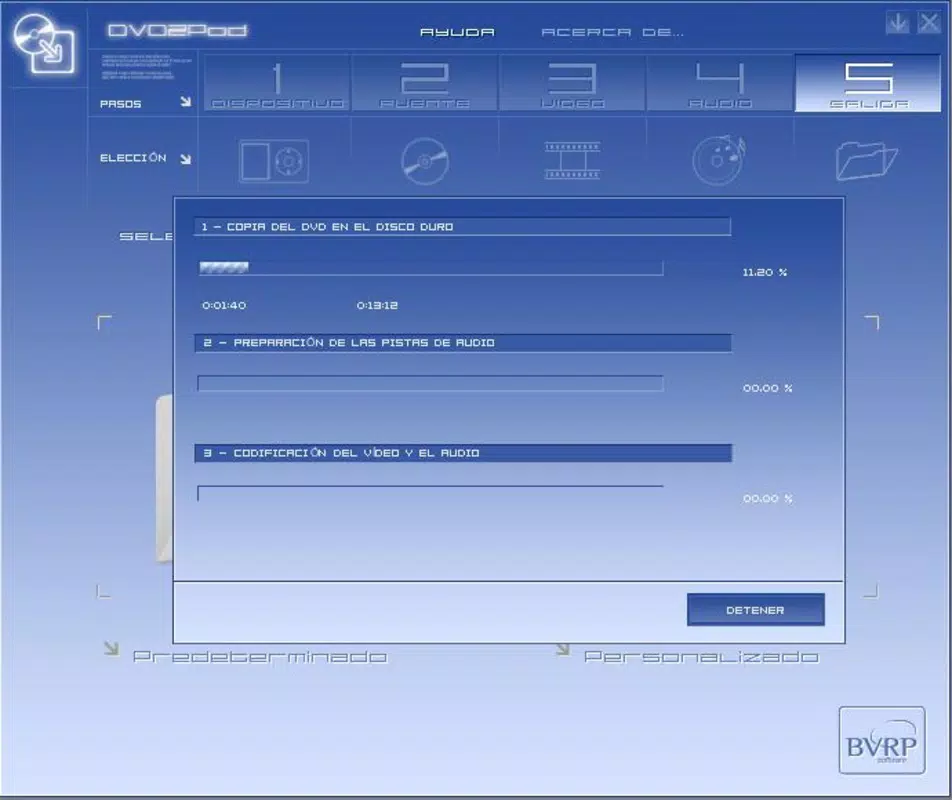
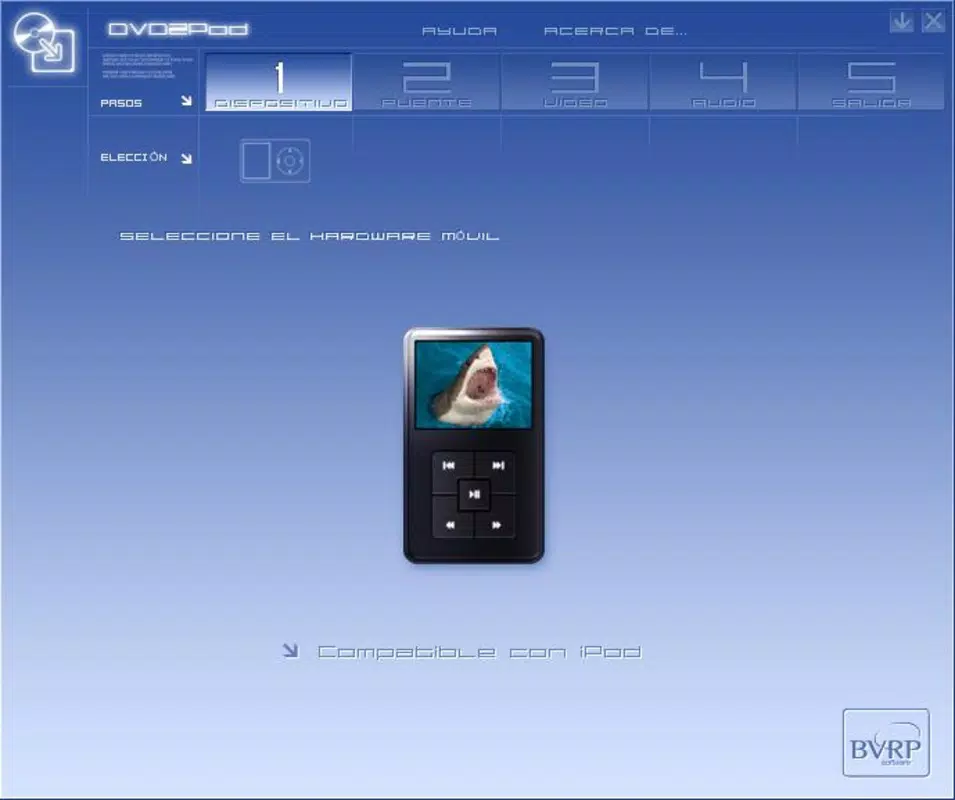
The user interface of DVD2Pod appears to be designed with simplicity and functionality in mind, prioritizing core conversion tasks without unnecessary distractions. The layout likely follows a linear workflow: selecting a DVD source, choosing output settings, and initiating the conversion process. Navigation is expected to be intuitive, with clear buttons and minimal on-screen clutter, supporting users with varying levels of technical experience.
Visual style is likely minimalistic, focusing on usability over decorative elements. This approach helps users concentrate on the conversion task at hand, reducing cognitive load. The app’s responsiveness is expected to be consistent across mid-tier and high-end Android devices, though specific performance metrics were not provided by the developer.
Although the developer did not list formal performance metrics, the app’s 20.4 MB file size suggests a lightweight footprint, which may contribute to smooth operation on a variety of devices. Stability is presumed to be adequate for its intended use, given the app’s initial release version and focus on a single core function. However, users are advised to monitor for updates, as performance improvements may be introduced in future releases.
Platform Compatibility & Technical Requirements
DVD2Pod is available exclusively on the Android platform, making it accessible to users of Android smartphones and tablets. The app supports the latest Android OS versions, though the developer did not specify minimum OS requirements. It is compatible with devices that can read DVD media, either through built-in drives or external USB-connected DVD readers.
The app has a file size of 20.4 MB, which is relatively small, indicating efficient code and minimal resource usage. This size suggests the app is optimized for performance and storage, making it suitable for devices with limited internal memory. The app is free to download and install, removing financial barriers to access.
Specific hardware requirements or compatibility details for external DVD drives were not disclosed. Users may need to ensure their device supports USB OTG (On-The-Go) functionality to connect external drives. The app’s compatibility with various DVD formats, including DVD-Video and DVD-Audio, was not specified.
Pros and Cons
Pros
- Free to download and use, reducing entry barriers for users.
- Lightweight design at 20.4 MB, suitable for devices with limited storage.
- On-device processing ensures user privacy and data security.
- Supports batch conversion for efficient handling of multiple DVD tracks.
- Preserves metadata such as track names and chapter titles.
Cons
- Platform limited to Android; no iOS or other OS availability was indicated.
- Specific technical requirements for DVD drive compatibility were not provided.
- Developer did not share details on supported DVD formats or audio codecs.
- Performance metrics and optimization details were not disclosed.
- App is in early release (version 1.0.0), so long-term stability and feature expansion remain uncertain.
FAQ
Is DVD2Pod safe to download and install?
Yes, the app is free and available through official Android channels. It performs audio conversion locally, minimizing data exposure. However, users should ensure they have the right to convert the content on their DVDs.
Can I use DVD2Pod with external DVD drives?
Yes, the app is compatible with external DVD drives connected via USB, provided the device supports USB OTG. Specific compatibility may depend on the drive model and Android version.
Does DVD2Pod require an internet connection?
No, the app operates offline. All conversion processes occur on the device, eliminating the need for an active internet connection.
What audio formats does DVD2Pod support?
The app supports common digital audio formats, though the exact list was not specified by the developer. Output files are likely compatible with standard media players.
Will DVD2Pod work with all types of DVDs?
Compatibility with DVD formats may vary. The app is designed for standard DVD-Video and DVD-Audio discs, but specific support details were not provided by the developer.
Final Thoughts
DVD2Pod presents a focused and practical solution for users seeking to convert DVD content into audio files for modern consumption. Its free model, lightweight design, and on-device processing make it a compelling choice for individuals managing physical media collections. While the app is in its initial release, its core functionality addresses a real need in the digital archiving and content repurposing space.
Those who frequently work with DVDs—educators, archivists, and hobbyists—will benefit most from its ability to extract audio and preserve metadata. The app’s simplicity and efficiency make it ideal for users who want a no-frills tool without cloud dependencies or subscription fees.
For anyone looking to digitize old video content and enjoy it as audio, DVD2Pod offers a straightforward, secure, and accessible path forward. Download DVD2Pod now.


